How to Get Higher Rankings for Your WordPress SEO Site in 2026
Proven WordPress SEO strategies to rank higher on Google in 2026 — from keyword research and on-page optimisation to speed, plugins, and link building.

Rikesh Panchal
Google Ads Certified Trainer
Ahmedabad, Gujarat
Part of our complete guide: How to Become an SEO Expert in 2026: A 7-Step Practical Roadmap
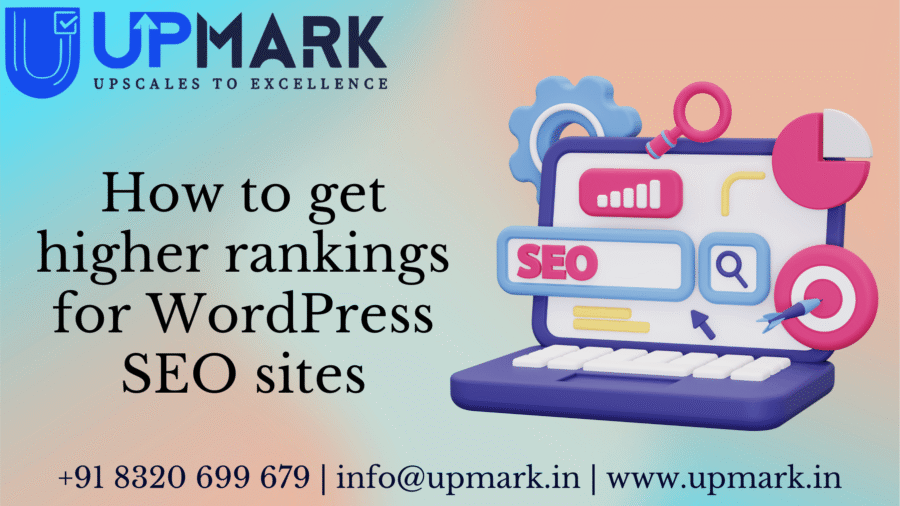
Table of Contents
- 1Phase 1: WordPress SEO Foundation Setup
- Install a Professional SEO Plugin
- Configure SEO-Friendly Permalinks
- Verify HTTPS is Active
- Submit Your Sitemap to Google Search Console
- 2Phase 2: Keyword Research — The Compass for All Content
- How to Do Keyword Research for WordPress SEO
- Understanding Search Intent
- 3Phase 3: On-Page SEO Optimisation
- Title Tags: Your Most Important On-Page Element
- Meta Descriptions: The Conversion Copy of SEO
- Header Tag Structure (H1, H2, H3)
- Image Optimisation
- Internal Linking Strategy
- 4Phase 4: Technical SEO for WordPress
- Page Speed Optimisation
- Fix Crawl Errors
- Schema Markup / Structured Data
- XML Sitemap and Robots.txt
- 5Phase 5: Content Strategy for Long-Term Rankings
- The Cornerstone Content Strategy
- Content Freshness and Updates
- Content Length and Depth
- 6Phase 6: Link Building for WordPress Sites
- Guest Posting
- Digital PR and Link Outreach
- Broken Link Building
- Local Citations for Indian Businesses
⚡ Quick Answer
How to get higher rankings for your WordPress site: Install an SEO plugin (Rank Math or Yoast), conduct keyword research, optimise every page's title tag and meta description, improve page speed (target 90+ on PageSpeed Insights), build quality backlinks, and publish consistent, in-depth content. WordPress is SEO-friendly by nature — but only when configured and used correctly.
WordPress is used by 43% of all websites on the internet, but most of them never reach the first page of Google. The difference between a WordPress site that ranks and one that doesn't isn't the platform — it's how the site is configured, optimised, and maintained.
This guide gives you a complete, actionable WordPress SEO roadmap for 2026 — from initial setup to advanced technical optimisation, with the specific steps that move rankings.

Phase 1: WordPress SEO Foundation Setup
Before any content or link-building strategy, your WordPress site needs to be correctly configured. These foundational steps make everything else more effective.
Install a Professional SEO Plugin
The most important first step. An SEO plugin manages your title tags, meta descriptions, sitemaps, canonical tags, structured data, and dozens of other SEO-critical elements automatically.
Rank Math (recommended in 2026) — More features in the free version than Yoast's paid tier. Includes Schema markup, keyword tracking, Google Search Console integration, and advanced breadcrumb control.
Yoast SEO — The original. Trusted by millions. Excellent for beginners, with a clear traffic-light system to guide your on-page optimisation.
Install your chosen plugin, run the setup wizard (it takes 5 minutes and handles most basic settings), and connect it to your Google Search Console account.
Configure SEO-Friendly Permalinks
Go to Settings → Permalinks and select "Post name." This ensures your URLs read as yourdomain.com/blog/post-title/ instead of yourdomain.com/?p=123. Clean URLs are both more readable and better for rankings.
Set this before publishing any content — changing permalink structure on an existing site requires setting up 301 redirects to avoid broken links.
Verify HTTPS is Active
Google has confirmed HTTPS as a ranking signal. Check that your domain loads with https:// in the browser bar, and that the http:// version automatically redirects to https://. Most modern hosts provide free SSL certificates via Let's Encrypt — activate yours from your hosting control panel if it's not already enabled.
Submit Your Sitemap to Google Search Console
Rank Math and Yoast both generate XML sitemaps automatically (usually at yourdomain.com/sitemap_index.xml). Submit this URL in Google Search Console under Sitemaps. This ensures Google can discover and crawl all your pages efficiently.
💡 Quick Foundation Check
Verify these four things are in place before doing anything else: (1) SEO plugin installed and configured, (2) Permalinks set to "Post name," (3) HTTPS active, (4) Sitemap submitted to Search Console. Without this foundation, all other optimisation work is less effective.
Phase 2: Keyword Research — The Compass for All Content
Without keyword research, you're creating content and hoping Google happens to show it to the right people. With keyword research, you know exactly what your audience is searching for and can target those searches directly.
How to Do Keyword Research for WordPress SEO
Step 1: Brainstorm your core topics. What is your website about? What questions do your customers ask? List 10–15 broad topics relevant to your business.
Step 2: Expand with keyword tools. Enter each topic into a keyword research tool and look for specific search queries:
- Google Keyword Planner (free, requires Google Ads account)
- Ahrefs Keywords Explorer (paid)
- Ubersuggest (limited free version)
- Google's "People Also Ask" boxes and "Related Searches" (free)
Step 3: Evaluate keywords by three criteria:
| Criterion | What to Look For |
|---|---|
| Search Volume | 100–10,000 monthly searches (sweet spot for most sites) |
| Keyword Difficulty (KD) | KD below 30 for new sites; 30–60 for established sites |
| Search Intent | Does the keyword intent match what your page offers? |
Step 4: Categorise by funnel stage. Informational keywords ("how to do X") bring top-of-funnel traffic. Commercial keywords ("best X service in Ahmedabad") indicate purchase intent. Target a mix.
Understanding Search Intent
This is the most critical — and most overlooked — concept in keyword research. Every search query has an intent behind it. Google ranks pages that best match user intent, not just those that contain the keyword.
- Informational: "how to improve WordPress speed" → user wants to learn
- Navigational: "Yoast SEO plugin" → user wants to find a specific site
- Commercial Investigation: "best WordPress SEO plugins" → user comparing options
- Transactional: "buy WordPress theme" → user ready to purchase
Write content that serves the actual intent of the keyword, not just the keyword itself.
Phase 3: On-Page SEO Optimisation
On-page SEO is the process of optimising individual pages and posts to rank for specific target keywords.
Title Tags: Your Most Important On-Page Element
The title tag appears as the clickable headline in Google search results. It's the highest-impact on-page SEO element.
Best practices:
- Include your primary keyword near the beginning of the title
- Keep it under 60 characters (Google truncates longer titles)
- Make it compelling enough to earn clicks, not just rankings
- Include your brand name at the end:
Primary Keyword – Brand Name
Rank Math and Yoast both show a character counter and preview of how your title will appear in search results.
Meta Descriptions: The Conversion Copy of SEO
Meta descriptions don't directly affect rankings, but they influence click-through rates — which indirectly affect rankings. A compelling meta description can increase CTR by 30–40%, sending more traffic from the same position.
- Keep under 155–160 characters
- Include your keyword naturally
- Include a call to action: "Learn how...", "Discover...", "Find out..."
- Make it match what users will actually find on the page
Header Tag Structure (H1, H2, H3)
Use one H1 tag per page — typically your post title (WordPress adds this automatically). Use H2 tags for main sections and H3 tags for subsections. Include your target keyword and related terms naturally in headings, but don't force it.
Image Optimisation
Every image you upload to WordPress has SEO implications:
File names: Rename images before uploading. hero-image.jpg → wordpress-seo-guide-2026.jpg
Alt text: Describe what the image shows using natural language that includes your keyword where relevant. Alt text is read by screen readers (accessibility) and crawled by Google Image Search.
File size: Compress images before uploading to keep page load times fast. Use Squoosh.app or install the Smush plugin for automatic compression.
Dimensions: Specify width and height in the WordPress image block to prevent layout shifts (which hurt your CLS Core Web Vital score).
Internal Linking Strategy
Internal links help Google understand your site structure and distribute "link equity" across your pages. Every blog post should link to 3–5 related posts or service pages on your site.
Create "pillar pages" for your most important topics and link all related content to them. This clustering strategy signals topical authority to Google.

Phase 4: Technical SEO for WordPress
Technical SEO ensures Google can find, crawl, understand, and index your content without friction.
Page Speed Optimisation
Google uses Core Web Vitals (LCP, INP, CLS) as ranking signals. A slow WordPress site loses rankings to faster competitors — independent of content quality.
WordPress speed optimisation checklist:
- Install a caching plugin: WP Rocket (paid, best) or W3 Total Cache (free)
- Compress images with Smush or ShortPixel
- Use a CDN (Cloudflare free tier is excellent)
- Minimise plugins — each adds server load
- Choose a lightweight theme: Astra, GeneratePress, or Neve
- Enable Gzip compression in your .htaccess or via W3 Total Cache
Target 90+ on both mobile and desktop PageSpeed Insights.
Fix Crawl Errors
In Google Search Console, go to Coverage and check for pages with errors (404s, server errors) or pages excluded from indexing. Redirect 404 pages to the most relevant live page using a redirect plugin (Redirection or Rank Math's built-in redirect manager).
Schema Markup / Structured Data
Schema markup is code that helps Google understand what your content is about and can unlock rich results in search (star ratings, FAQ dropdowns, breadcrumbs). Rank Math and Yoast add basic schema automatically. For advanced schema (Recipe, Review, Event, Product), use Rank Math's Schema module or Schema Pro plugin.
XML Sitemap and Robots.txt
Ensure your sitemap is up to date and correctly submitted to Search Console. Check your robots.txt file (at yourdomain.com/robots.txt) to ensure it's not accidentally blocking important pages from Google's crawl.
Master WordPress SEO and Rank Your Sites on Google
Upmark's AI SEO Course covers keyword research, on-page SEO, technical optimisation, link building, and local SEO — everything you need for a high-paying SEO career. Classroom in Ahmedabad.
View AI SEO Course →Phase 5: Content Strategy for Long-Term Rankings
The Cornerstone Content Strategy
Create long, comprehensive "cornerstone" or "pillar" posts on your most important topics. These are your 2,000–5,000 word in-depth guides that aim to be the most complete resource on a topic.
Then create shorter, more specific "cluster" posts that link back to your cornerstone. This topic cluster model signals topical authority to Google and helps your entire cluster of related posts rank better.
Content Freshness and Updates
Google favours fresh, updated content for many query types. Regularly update your existing posts with new information, updated statistics, and improved formatting. A well-performing post that's been updated often ranks better than a similar new post.
In Rank Math, you can see which posts are underperforming and prioritise them for updates.
Content Length and Depth
Research consistently shows that longer, more comprehensive content tends to rank higher for competitive keywords. However, length alone doesn't drive rankings — comprehensiveness does. Cover the topic thoroughly, answer related questions, include data, examples, and practical steps.
For WordPress SEO specifically, posts above 1,800 words tend to attract more backlinks and rank more consistently than shorter posts.
The most feature-rich SEO plugin for WordPress. Handles everything from title tags and sitemaps to Schema markup and keyword tracking in one plugin.
The gold standard for keyword research, competitor analysis, and backlink monitoring. Essential for serious SEO work. Free Webmaster Tools version available.
The best WordPress caching and speed plugin. Handles caching, minification, lazy loading, and CDN integration with a beginner-friendly interface.
Crawl your entire WordPress site to find broken links, missing meta descriptions, duplicate content, and canonical tag issues.
Essential free tool from Google. Shows which queries drive traffic to your site, crawl errors, Core Web Vitals data, and manual action notifications.
Phase 6: Link Building for WordPress Sites
Backlinks — links from other websites to yours — remain one of Google's strongest ranking signals. A page with more high-quality backlinks consistently outranks pages with fewer links, all else equal.
Guest Posting
Write valuable articles for other websites in your niche, and include a link back to your site in the author bio or article body. This is one of the most reliable white-hat link building strategies for WordPress sites and blog content.
Digital PR and Link Outreach
Create data-driven research, studies, or resources that other websites would genuinely want to link to. Original research, surveys, and unique tools attract natural backlinks without outreach.
For outreach: identify websites that have linked to similar content (using Ahrefs' "Who links here" feature), and reach out personally to let them know about your superior version.
Broken Link Building
Find broken outbound links on relevant websites (using Ahrefs or Check My Links Chrome extension), and offer your content as a replacement. Site owners are grateful for the help — and give you a backlink in return.
Local Citations for Indian Businesses
If you're running a local business in Ahmedabad or elsewhere in India, get listed in local directories: JustDial, IndiaMART, Sulekha, Google Business Profile, and industry-specific directories. These citations improve local SEO rankings.
⚠️ Avoid These Black-Hat Link Tactics
Buying links, participating in link farms, or using automated link-building tools violates Google's guidelines and can result in manual penalties that destroy your rankings. Build links slowly, authentically, and from relevant sites. One link from a respected industry website is worth more than 100 links from random low-quality sites.

📚 Upmark Courses to Level Up Your Career
Want to apply WordPress SEO skills professionally and build a career around it? Upmark's training covers SEO, web builds, and full digital strategy: AI SEO Course (specialist track with on-page, technical, and AI-driven SEO), Website Design Course (learn to build and optimise WordPress sites end-to-end), and AI Digital Marketing Course (6-month full curriculum that brings it all together).
What is the best SEO plugin for WordPress in 2026?
Rank Math is the top recommendation for 2026 — it offers more features in its free tier than most paid competitors, including Schema markup, keyword tracking, Google Search Console integration, and a built-in redirect manager. Yoast SEO is an excellent alternative, especially for beginners who prefer its simpler interface. Both are trusted by millions of WordPress sites.
How long does WordPress SEO take to show results?
SEO is a long-term strategy. For a new site, expect 3–6 months before significant ranking improvements appear. For an established site with existing authority, technical fixes and content improvements can show results within 4–8 weeks. Link building has a cumulative effect that builds over 6–12 months. Consistent, sustained effort produces compounding results over time.
Does the WordPress theme affect SEO rankings?
Yes — indirectly. A poorly coded, slow-loading theme hurts your Core Web Vitals scores (a confirmed Google ranking signal), which affects rankings. Themes with unnecessary JavaScript and complex CSS also slow down your site. Choose lightweight, performance-optimised themes like Astra, GeneratePress, or Neve — all of which are specifically designed with SEO and speed in mind.
How do I do keyword research for my WordPress blog?
Start with Google's free tools: type your topic into Google and note the "People Also Ask" and "Related Searches" sections — these are real queries users search for. Use Google Keyword Planner (free with a Google Ads account) for search volume data. For competitive intelligence, Ahrefs (paid) or Ubersuggest (limited free tier) show keyword difficulty and what your competitors rank for. Target keywords with 100–5,000 monthly searches and KD below 40 for a newer site.
How many keywords should I target per page?
Focus each page on one primary keyword and 3–5 closely related secondary keywords. Don't try to optimise one page for multiple unrelated keywords — create separate pages for each distinct topic. This "one page, one intent" approach aligns better with Google's understanding of page relevance and produces more targeted, higher-converting content.
How important is mobile SEO for WordPress sites?
Critical — Google uses mobile-first indexing, meaning it primarily uses the mobile version of your site for ranking purposes. Your WordPress theme should be fully responsive (all modern themes are), and your mobile page speed should be tested separately from desktop. For Indian audiences, where 75%+ of traffic is mobile, mobile optimisation is arguably the most important SEO investment you can make.
Should I focus on content or backlinks for WordPress SEO?
Both are essential and work together. Content without backlinks struggles to rank for competitive keywords. Backlinks to thin content don't produce lasting rankings. The winning formula: create comprehensive, genuinely useful content that attracts natural links and earns links through active outreach. Start with content quality — you need something worth linking to before you ask others to link to it.
What are the most important technical SEO checks for WordPress?
The five most important technical SEO checks: (1) HTTPS is enabled and HTTP redirects to HTTPS, (2) Sitemap is generated and submitted to Google Search Console, (3) Robots.txt is not blocking important pages, (4) Core Web Vitals (LCP, INP, CLS) meet Google's thresholds, (5) No crawl errors or 404 pages are present. Run a monthly audit with Screaming Frog or Google Search Console to catch issues early.
Become an SEO Expert — Learn at Upmark Ahmedabad
Upmark's AI SEO Course trains you in WordPress SEO, technical auditing, keyword strategy, and link building. Graduate job-ready with a portfolio of ranked sites. 4.8/5 Google rating.
Book Free Demo Class →Written By
Rikesh Panchal
Founder & Lead Trainer, Upmark Digital Marketing Institute
Rikesh Panchal founded Upmark in 2018 after 6+ years running live digital marketing campaigns for consumer, fintech and D2C brands. He has personally managed ₹50 Cr+ in ad spend and still runs active client campaigns today alongside teaching. Every article and course module he writes is shaped by one question: will this actually get a student hired?
- Google Ads Certified Trainer
- Meta Blueprint Certified
- HubSpot Academy Partner
- Google Analytics 4 Specialist
Found this useful? Share it
Free Demo Class
Ready to turn this knowledge into a career?
Live projects, AI tools & placement support from Ahmedabad's top digital marketing institute.